
SPARKLES / All tools
A new look. A new entrance.
Two looks, one continuous transformation. Explore a camera orbit or a foreground wipe, then start with a sample and make the details your own.
Updated
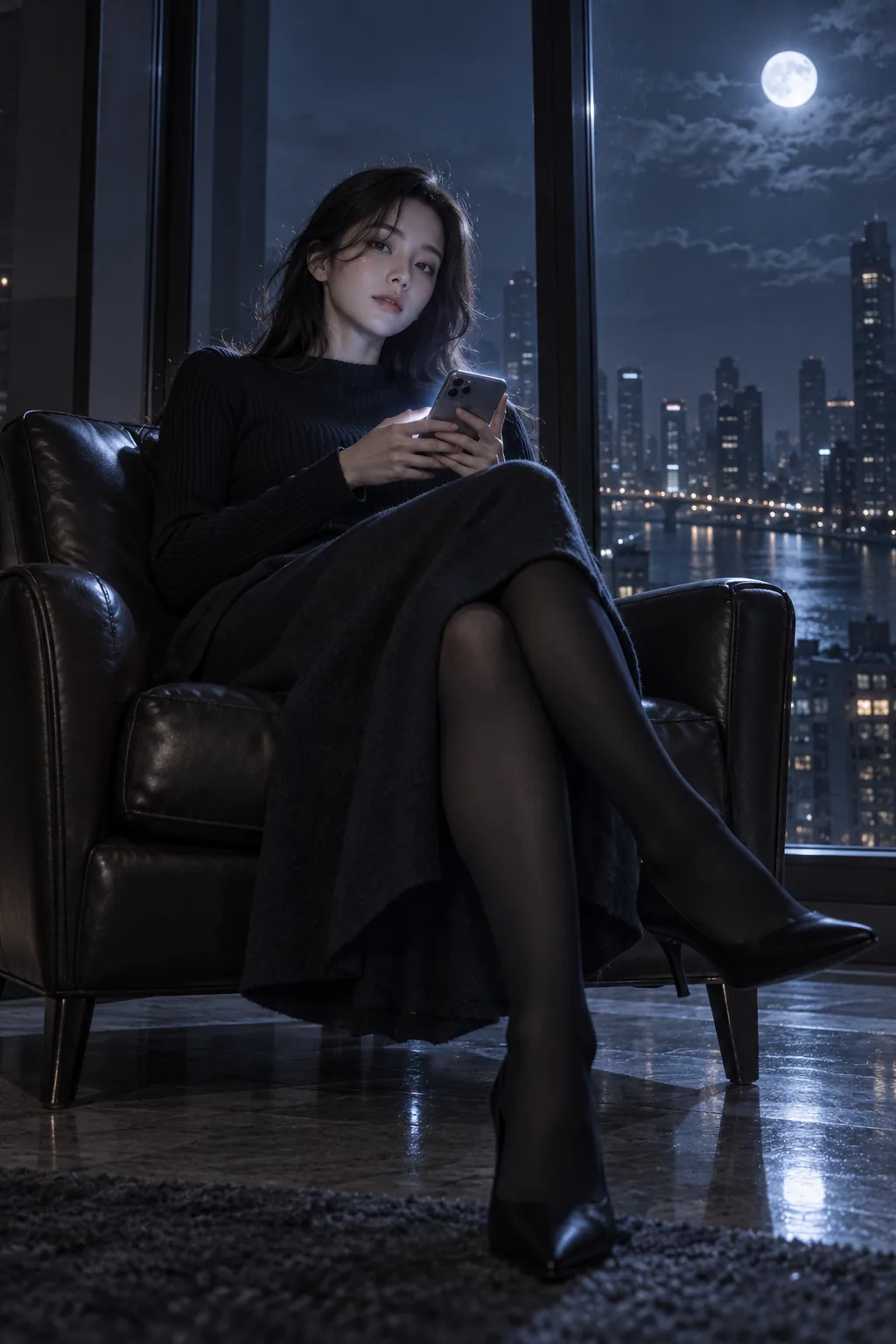 01 / Starting look
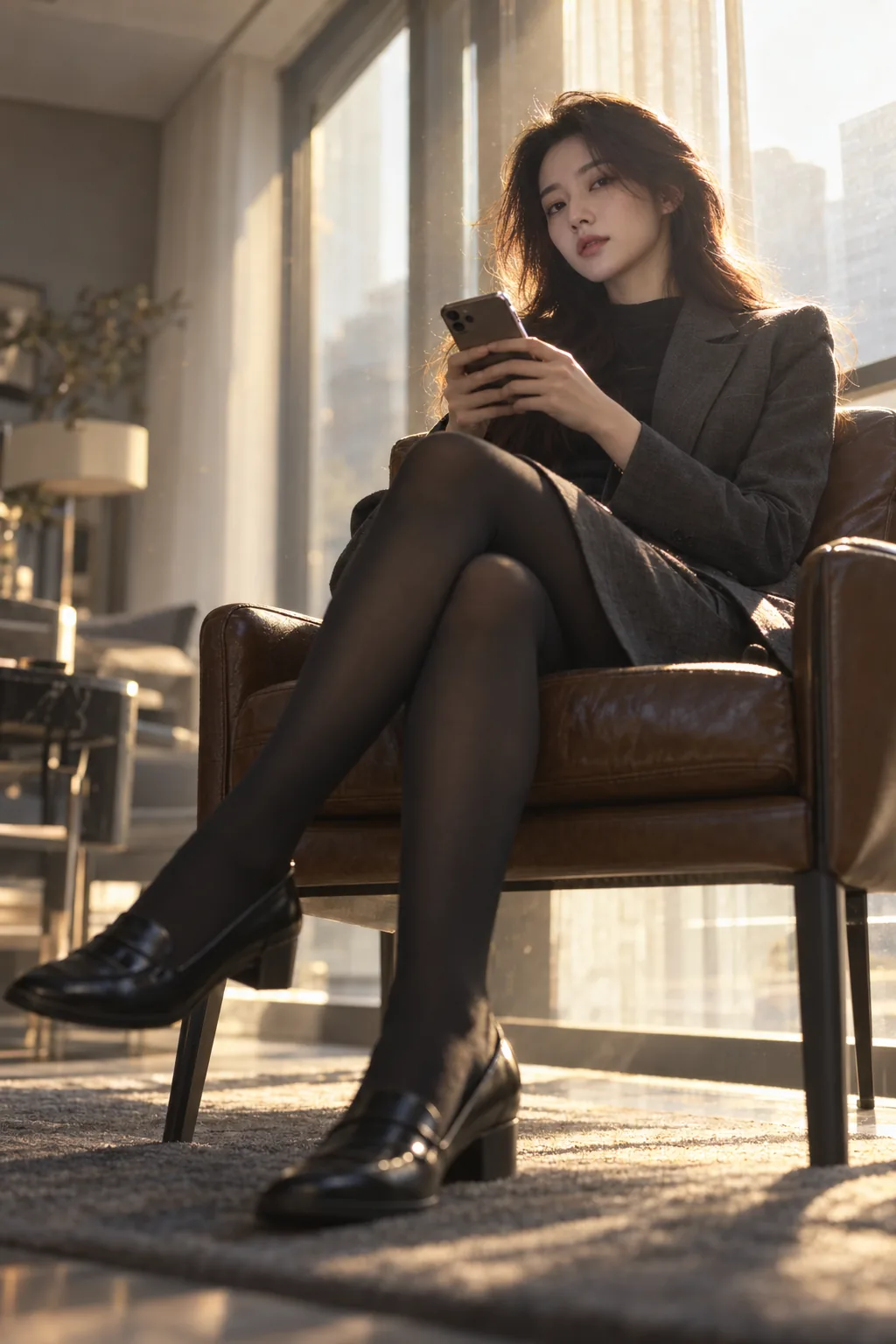 02 / New look
- Particle route
- 360° studio · exactly 2 ordered images · 5 seconds · silent
- Model choices
- Orbit Light: H3, 768P or 2K. Orbit Plus: Seedance 2.0, 720P or 1080P.
- Custom route
- Video studio · editable prompt · supported duration, format and audio options depend on the chosen model.
- Cost and privacy
- Review the quote before generation. Videos use Credits, have no subscription discount and are private by default for 30 days.
Video templates
See what you can make
Outfit transitions 5.2s
The ceiling-fan wipe
One overhead shot, one foreground wipe, two tailored looks.
Outfit transitions 5.2s
A ribbon changes the look
A lavender silk ribbon carries a charcoal-to-lilac outfit transition.
Outfit transitions 5.0s
From sword practice to crystal
Two ordered references take the same character into a crystal outfit and cloud palace.
What you can make
Everyday look to costume
Create a Halloween or cosplay reveal with two consistent photos. Preserve identity and pose while changing the clothes and scene.
Ceiling fan outfit transition
Use a fixed overhead camera and passing fan blades as a visual cover for one clothing change. This is a prompt-led video workflow.
Fashion lookbook transition
Compare a casual and a formal look with similar framing. Use it as a visual concept, not proof of real garment fit.
Open tool
How to use it
Prepare two clear images of one person with similar pose, crop and proportions. Resolve facial or hand differences in the image editor first.
Open the 360° studio and choose particle outfit change. Select exactly two images: image 1 defines the old outfit and background; image 2 defines the new outfit and background.
Check the order, model, resolution and quote. The preset handles the camera orbit and particle transition; you do not paste the ceiling fan prompt into this mode.
Generate once, then inspect the entire five-second video. The intended ending keeps the new outfit and background when the camera returns to its starting angle. Exact timing is model-dependent.
Download the original MP4 or save a displayed frame. For a fixed overhead camera, additional looks or another transition style, open the video studio from the custom example below.
Complete prompt
Start with an example
Two-photo particle outfit change
Use the built-in preset. Prepare both images before submitting; the order controls the direction of the change.
Reference checklist
Image 1: the original person, old outfit and starting background.
Image 2: the same person and pose, new outfit and target background.
Keep the face clear and use similar camera distance.
Choose particle outfit change, then check the order and quote.
Check the result: The ending should retain the second outfit and scene. Check face consistency, outfit details and the whole camera move.
Open toolCeiling fan outfit change prompt
Use this original prompt with your own references. The video templates above also provide tested complete prompts and settings that you can load and edit.
Video prompt
Create a fashion video of one adult standing on a plain circular rug, seen from a fixed overhead camera. The first reference defines the person and a cream jacket; the second defines the same person in a dark green coat. A softly blurred ceiling fan blade crosses the foreground, briefly covering the outfit. Use that single occlusion to reveal the second look. Keep the person, pose, rug, lighting and camera position consistent. Finish with the dark green coat clearly visible. No camera orbit, no extra people, no text or dialogue.
Check the result: Confirm the camera stays overhead, the blade does not deform the body, and the new outfit remains at the end. Reduce complexity if identity or pose drifts.
Open toolAI outfit transition: two-photo changes and ceiling fan prompts
An AI outfit transition changes clothing while trying to preserve the person. Sparkles offers two routes: a built-in particle outfit change in the 360° studio, or a custom scene such as a ceiling fan reveal in the video studio. Choose the route before preparing references, because the controls and camera movement differ.
At a glance
Common questions
Is there a one-click ceiling fan template?
Yes. The video template library includes a ceiling-fan wipe with a complete prompt and editable settings, starting with MiniMax H3, 768P and five seconds. Loading it does not submit a generation. Review the quote before generating; the model may vary the timing and wipe.
Can I change the background with the outfit?
The two-image particle preset uses the old scene from image 1 and the target scene from image 2. The intended ending keeps the new scene; complex transitions may need better matching source images.
Can I start with one outfit photo?
First use the image editor to prepare the second look and check that it still depicts the same person. Each AI image request is separate from the paid video task.
Is an AI clothes changer the same as virtual try-on?
A still-image clothes changer explores one look. An outfit transition animates the change between looks. Neither verifies garment measurements, fabric behavior or real-world fit.